






















Lock a door in 60 seconds
Call /locks/lock_door to request locking. Check the action attempt and result.was_confirmed_by_device, then read the reported lock state. A locked state does not establish that the door is closed.
Build it with your AI agent
Install the Seam plugin and your coding agent picks up three integration skills: Reservation Automations, Access Grants and Access Codes. It then writes the calls the way we would. Paste the prompt below and let it build.
1. Install the plugin
The Claude Code install also adds our documentation MCP server, so the agent can look up endpoints and device capabilities while it works. Cursor, Codex and other agents get the skills through npx skills add and can add the MCP server there separately.
2. Paste this prompt
How it works
Connect the lock and confirm support
Your user links their lock or access system account through Seam Connect Webview. Seam returns the doors behind it as devices and entrances. Confirm can_remotely_lock is true on what comes back. False means the lock is capable but cannot use it right now, and a missing property means it never does this.
Send the lock command
Send a POST to /locks/lock_door with the device_id. The response is an action attempt: pending means it is still in progress, and error includes the failure reason. For success, also check result.was_confirmed_by_device because some providers cannot confirm the action on the physical lock.
Check the reported lock result
Check action_attempt.result.was_confirmed_by_device: some providers report success without physical-device confirmation. Read properties.locked for the reported lock state, or subscribe to lock.locked events. A locked state does not prove the door is closed. Use a separate door-position sensor if your workflow needs that confirmation.
Frequently asked questions
Which smart locks support remote lock?
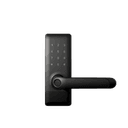
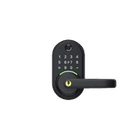
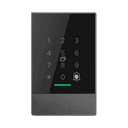
Seam supports remote lock on 533 smart lock models from 27 manufacturers, including Yale, TTLock and Assa Abloy. The table on this page comes from Seam's device database, and each model links to its own page with the per-system status and any hardware requirements.
Can I lock every door at once?
Loop over /locks/lock_door per device: there is no bulk endpoint. List devices with /devices/list, keep the ones where can_remotely_lock is true, and send the commands concurrently. Each returns its own action attempt, so you get a per-door result and can retry just the doors that failed.
What happens if the door is already locked?
The command succeeds and nothing moves. Locking a locked door is treated as a no-op, so a scheduled sweep does not need to read state first.
Does auto-relock make the API call unnecessary?
Many locks relock themselves after a timeout. An API call lets your app request locking at a specific moment, such as checkout. Check the action result and reported lock state; a locking request alone does not establish that the unit is secured.
Can the same locks be unlocked remotely?
Usually, and it is a separate capability with its own flag: can_remotely_unlock. Check both flags rather than assuming one implies the other, because a few systems expose locking without unlocking.
Who can trigger a remote lock?
Anything holding your API key. Seam does not add an approval flow in front of lock commands, so gate the endpoint inside your backend the way you gate any other privileged action, and keep the key out of client code.
Related
- Implement remote lockingSend lock commands and distinguish request success from device confirmation.
- Every smart lock capabilityAll capability pages side by side, with live model, brand and system counts.
- Features per industryOne table per industry: each system's status for every capability, from remote unlock to key cards.
- Smart locks that support online access codesEvery model, with the status of each system that issues online access codes.
- Smart locks that support mobile keysEvery model, with the status of each system that issues mobile keys.
- Smart locks that support encoded plastic cardsEvery model, with the status of each system that issues encoded plastic cards.
- Smart locks that support assigned plastic cardsEvery model, with the status of each system that issues assigned plastic cards.
- Smart locks that support remote unlockEvery model, with the status of each system that supports remote unlock.
- Smart locks that support offline access codesEvery model, with the status of each system that issues offline access codes.
- Every device and system Seam supportsSearch the whole device database by brand, device type and capability.
- Access control systemsThe wired systems behind the entrances in these grants: Salto, dormakaba, Brivo, ASSA ABLOY and more.
- Smart lock API overviewHow Seam's smart lock API works, from device connection to access automation.