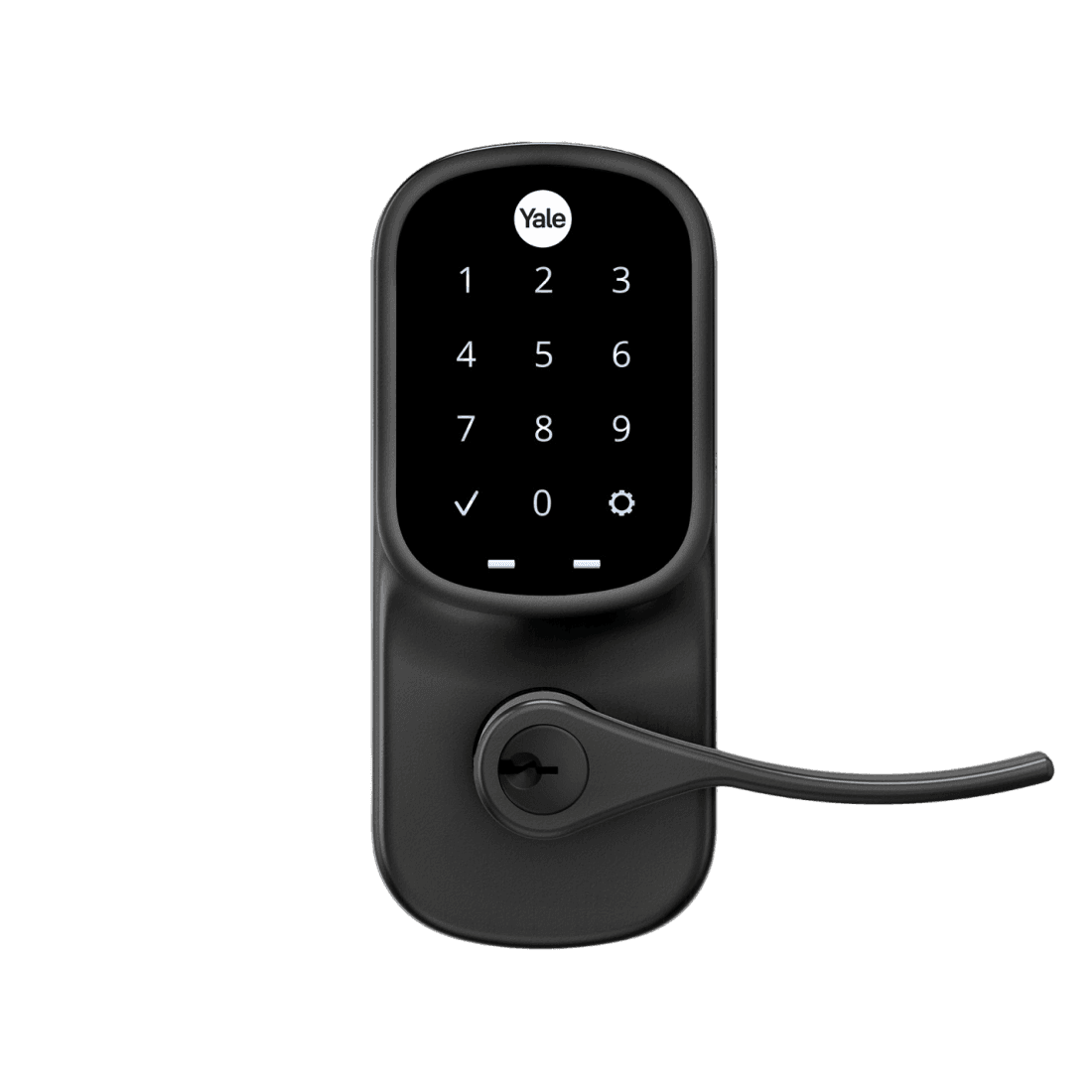
Assure Lever Touchscreen with Wi-Fi and Bluetooth
The Yale Assure Lever is a Wi-Fi and Bluetooth smart lever lock with a backlit keypad, so it can still be unlocked without a phone. It works with the Yale Access app and voice assistants like Alexa, Google, and Siri.
 Yale
YaleWestern Europe
United KingdomYale pageNo retail listing and no manufacturer shop serving this country, so the visitor is sent to the manufacturer's product page — which informs rather than sells.IrelandYale pageNo retail listing and no manufacturer shop serving this country, so the visitor is sent to the manufacturer's product page — which informs rather than sells.FranceYale pageNo retail listing and no manufacturer shop serving this country, so the visitor is sent to the manufacturer's product page — which informs rather than sells.GermanyYale pageNo retail listing and no manufacturer shop serving this country, so the visitor is sent to the manufacturer's product page — which informs rather than sells.AustriaYale pageNo retail listing and no manufacturer shop serving this country, so the visitor is sent to the manufacturer's product page — which informs rather than sells.SwitzerlandYale pageNo retail listing and no manufacturer shop serving this country, so the visitor is sent to the manufacturer's product page — which informs rather than sells.BelgiumYale pageNo retail listing and no manufacturer shop serving this country, so the visitor is sent to the manufacturer's product page — which informs rather than sells.LuxembourgYale pageNo retail listing and no manufacturer shop serving this country, so the visitor is sent to the manufacturer's product page — which informs rather than sells.NetherlandsYale pageNo retail listing and no manufacturer shop serving this country, so the visitor is sent to the manufacturer's product page — which informs rather than sells.Southern Europe
ItalyYale pageNo retail listing and no manufacturer shop serving this country, so the visitor is sent to the manufacturer's product page — which informs rather than sells.SpainYale pageNo retail listing and no manufacturer shop serving this country, so the visitor is sent to the manufacturer's product page — which informs rather than sells.PortugalYale pageNo retail listing and no manufacturer shop serving this country, so the visitor is sent to the manufacturer's product page — which informs rather than sells.Asia-Pacific
JapanYale pageNo retail listing and no manufacturer shop serving this country, so the visitor is sent to the manufacturer's product page — which informs rather than sells.AustraliaYale pageNo retail listing and no manufacturer shop serving this country, so the visitor is sent to the manufacturer's product page — which informs rather than sells.Elsewhere
Anywhere elseAmazon USAutomate the Yale Assure Lever Touchscreen with Wi-Fi and Bluetooth with Seam and start managing your devices today.


Assure Lever Touchscreen with Wi-Fi and Bluetooth
Control This Device With Seam API and Yale Home
Connect your Yale Home with Seam API to use these features.
Using a different system?
Capabilities
What you can do with this device, using Seam API.
About Yale Home
Yale Home is the global version of Yale’s smart-lock platform, built on the same underlying technology originally developed by August in the US. Outside North America, the Yale Home app is the main way users manage Yale smart locks, but behind the scenes it still uses the same cloud infrastructure powering August and Yale Access. While the US/Canada versions appear under different names, the platform itself is essentially unified — the differences mostly reflect regional branding and product availability. The only “real” API connected to this ecosystem is still the August Developer API (not publicly open), and Yale Home communicates through that same backend. Confusion arises because Yale also sells products under older or separate ecosystems (like Yale Connect / Smart Living), which do not use this shared August-based cloud. As a result, some locks are permanently tied to one ecosystem, while many newer models can switch ecosystems by inserting different smart modules — but modern Yale Home products are all powered by the same core platform that drives Yale Access and August in the US.
Device Connectivity
Device has built-in server connectivity
Automate Access with Yale Assure Lever Touchscreen with Wi-Fi and Bluetooth




A core use case is syncing access codes with reservations from your booking system. With Seam, you can plug calendar tools like Calendly, Cal.com, Google Calendar, and iCal; e-commerce backends like WooCommerce or Shopify; or even class- or appointment-booking software like Mindbody and Acuity. Every confirmed reservation can be set to automatically create a unique, time-bound code on the Assure Lever Touchscreen with Wi-Fi and Bluetooth at check-in and revoke it at check-out—no manual handling, no shared codes.
The Assure Lever Touchscreen with Wi-Fi and Bluetooth by Yale can be used to automate secure access for your customers, guests, or users using Seam's self-serve solution.
With support for time-based access codes, you can automatically grant and revoke access based on real-world events like bookings, schedules, or user actions—without manual intervention.
This is especially useful for:
- Short-term rentals (Airbnb, vacation rentals): automatically generate unique access codes for each guest stay, and revoke them at checkout
- Paddle clubs and sports facilities: grant access to courts or gates based on reservation times
- Golf practice ranges and leisure venues: control access to specific areas depending on bookings or time slots
- Music studios and recording booths: issue time-bound codes valid only during the booked session, with automatic revocation after
- Small businesses and studios: manage employee or customer access without physical keys
- Shared spaces and small offices: assign temporary or recurring access to members or staff
Using Seam, you can connect your Assure Lever Touchscreen with Wi-Fi and Bluetooth, listen to events from your booking system or backend, and programmatically create access codes that are valid only during the desired time window.
Control Access Remotely with Yale Assure Lever Touchscreen with Wi-Fi and Bluetooth
The Assure Lever Touchscreen with Wi-Fi and Bluetooth by Yale supports remote unlocking via the Seam API.
Beyond admin or staff workflows, you can embed an "Unlock" button directly inside your customer-facing app, allowing authorized end-users to open a door, gate, or locker themselves during their reservation or membership window—no front-desk hand-off required.
This pattern works particularly well for:
- Spas, wellness, and yoga studios: let members unlock treatment rooms, lockers, or studios on arrival
- Golf practice ranges: unlock bays, ball machines, or driving-range gates from the customer's app
- Tennis and racquetball clubs: authorize court access during the booked time slot, with no front-desk hand-off
- Fitness studios and gyms: give members 24/7 self-service entry tied to their active subscription
- Co-working spaces and shared offices: let members open the front door or private suites from a branded app
You can also trigger unlock actions programmatically—for example:
- Add a button in your app or admin dashboard to unlock a door or gate
- Allow staff to remotely grant access during a reservation
- Enable backup access in case a user cannot use their code
- Build simple interfaces for operators to manage access live
Combined with scheduling or reservation logic, this allows you to create flexible access experiences—for example, enabling a "Unlock" button that only works during an active booking time window.
More smartlock models from Yale
Compare other entries in this manufacturer's device catalog. Check each model's integration status, capabilities and setup requirements.
As an Amazon Associate, Seam earns from qualifying purchases.