Creating a Production Workspace
Last updated
This guide walks you through creating a production workspace on Seam for managing smart locks and access control systems.
What is a Production Workspace?
A production workspace is where you manage your live, real-world devices and access control systems. This is separate from a sandbox workspace, which is used for testing and development.
Prerequisites
Before you begin, ensure you have:
-
A Seam account
-
Admin access to your organization
Step 1: Create Your Production Workspace
-
Log into the Seam Console
-
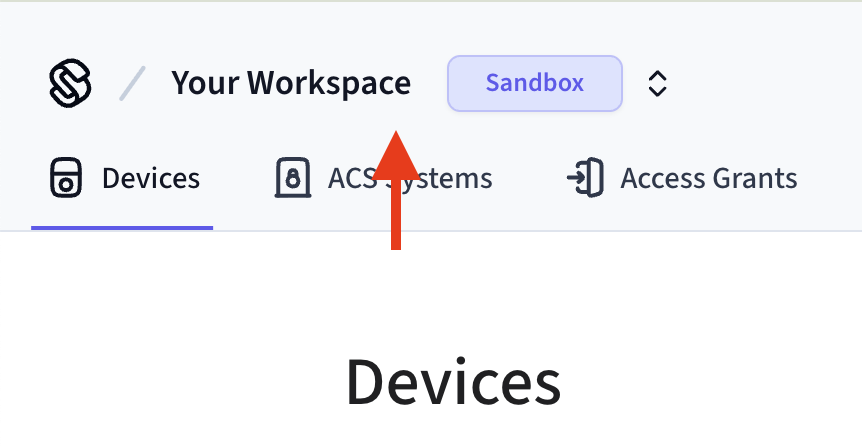
Click on your workspace switcher.
-
Click "+ New Workspace" in the bottom of the workspace switcher
-
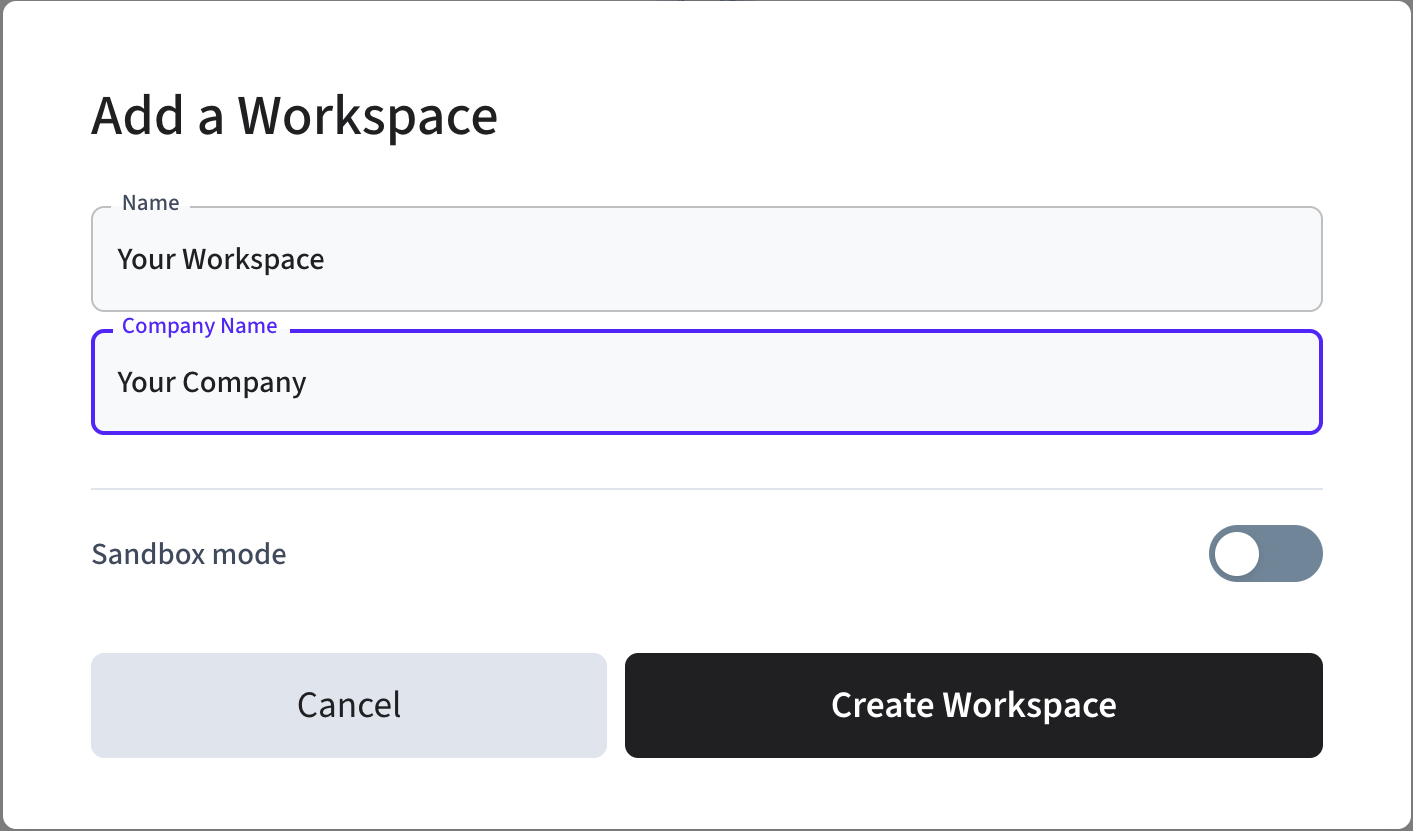
Fill in your workspace name and company name.
-
Ensure that "Sandbox mode" is toggled off.
-
Click "Create Workspace"
Your production workspace is now created and ready to use.