Introducing Our New Camera API: Events, Recordings, and Live Video
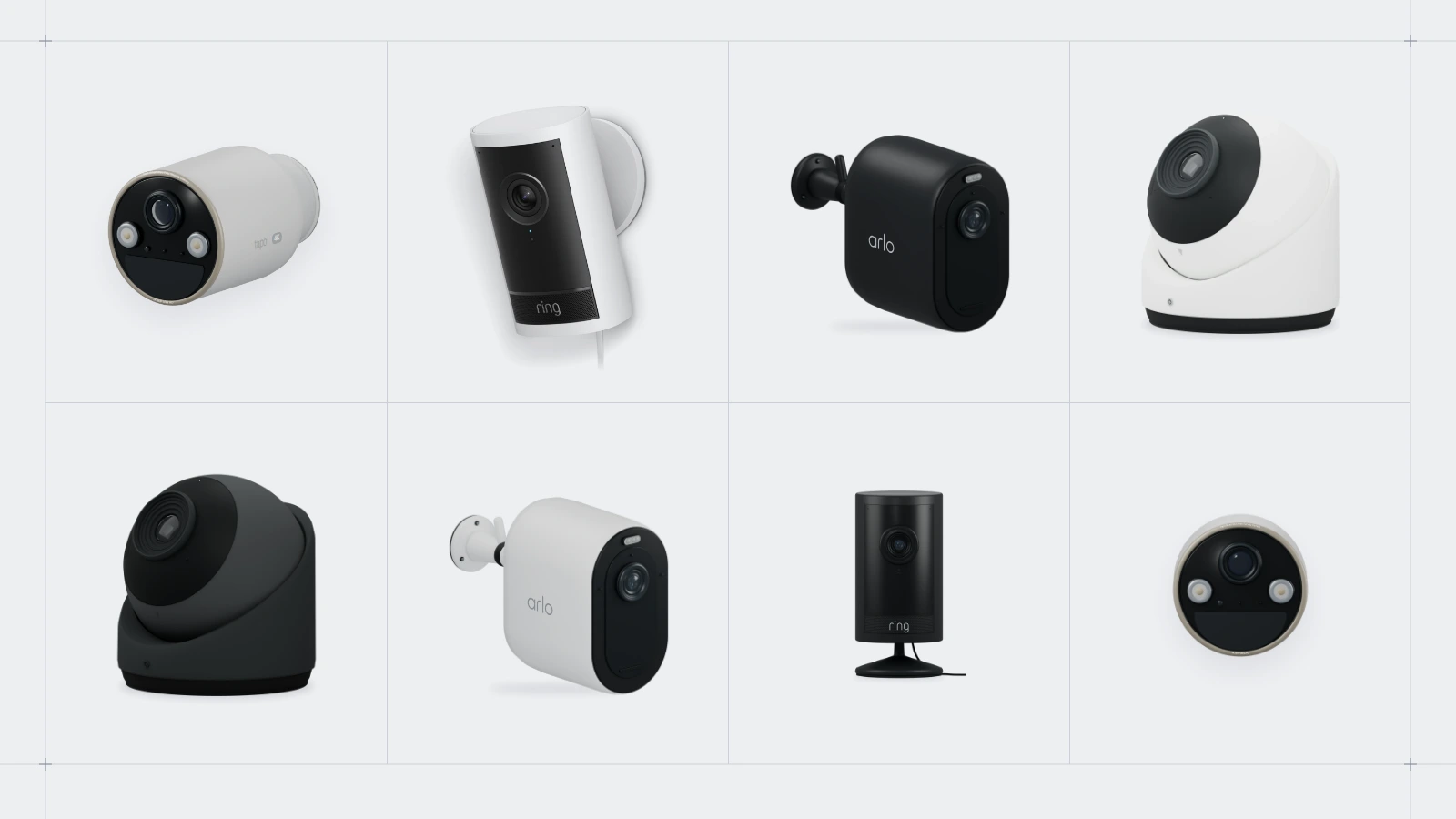
Today, we’re thrilled to announce the official public beta of our Seam Camera API. After years of prototyping and iteration, we think we’ve finally landed on the developer experience we were looking for. As part of this release, we’re introducing support for Tapo, Ring, Arlo, and Ubiquiti UniFi, with Hikvision coming soon.
We’ve spent so much time thinking about cameras because we see them as a universal sensor for the physical world. They can help us understand whether a space is occupied, a package has arrived, or a gate is open—and that context can drive workflows and automations. Our goal with this API is to make the events and footage behind those experiences easier to build on.


Your app can now receive motion events from Tapo, Arlo, Ring, and Ubiquiti UniFi. For Tapo, Arlo, and Ring, you can also retrieve available clips and thumbnails through one endpoint and stream live video into your app. Ring doorbells also report button presses.
Cameras work through the same connected accounts, devices and webhooks you already use for locks and thermostats, so a camera is just another device in your workspace.
Set SEAM_API_KEY on your server and replace the example ID with a media_id from a verified camera webhook. Repeat for each ID in the event. The tabs include every supported SDK, Java and Go HTTP examples, the Seam CLI, and cURL.
The recording and live-view integration details for Tapo, Arlo and Ring are below.
| Tapo | Arlo | Ring | |
|---|---|---|---|
| Connects through | Local network, via Seam Bridge | Arlo cloud (email, password, then an SMS or email code) | Ring App Store partner pairing |
Motion events (camera.activated) | Yes | Yes | Yes, with person / vehicle / package classification |
Doorbell presses (device.doorbell_rang) | No | No | Yes |
Event clip and thumbnail (/media/get) | From microSD, with the Tapo account password supplied at connection | Requires an Arlo cloud-recording subscription | Requires Ring Protect |
| Live view | Yes, with optional audio | Yes | Yes |
2026.10.21 Changelog
New
API
/media/get(beta): Resolves amedia_idto the media'sstatusand a short-lived signedurlfor an event clip or thumbnail. The response includesmedia_type(videoorimage),content_type,status(pending,available,unavailableorfailed),url(set only whenstatusisavailable, and valid for a few minutes) andexpires_at(when the media itself stops being available). Passformat=redirectto get a302to the file instead. It accepts API keys, personal access tokens and client sessions, and a client session can only get media for its own devices.media_idson camera events:camera.activatedanddevice.doorbell_rangnow includemedia_ids, assigned when the event is created, so they're in the first webhook delivery.- Camera live view (beta):
/cameras/live_views/create,/cameras/live_views/offerand/cameras/live_views/stopstream a camera's live feed to the browser over WebRTC. All three are authorized by a client session, so your API key and the camera's credentials never reach the browser. Devices reportcan_stream_live_videoso you know when to offer it. - SDK examples: The tabs above cover JavaScript/TypeScript, Python, Ruby, PHP, C#, Java, Go, the Seam CLI and cURL, including HTTP fallbacks where needed. Follow the event media guide for the complete workflow.
Providers
-
Ubiquiti UniFi cameras (beta): Receive motion events through Seam webhooks.
-
Tapo cameras (beta): Local-network integration through Seam Bridge. Motion events, live view with optional audio, and event clips from the camera's microSD card when the Tapo account password is provided at connect.
-
Arlo cameras (beta): Cloud integration that signs in with email and password plus an SMS or email verification code. Motion events, event clips and thumbnails from the Arlo cloud library (requires an Arlo subscription with cloud recording), and live view.
Console
- Camera device page: Live view next to the camera's recent events and their clips.
Changed
-
Ring live view: Stream supported Ring cameras through the live view API. Check
can_stream_live_videoon the device before offering live view. -
Ring event media through
/media/get: Ring motion and doorbell events now carrymedia_ids, and their clips and thumbnails resolve through/media/getlike every other brand (requires Ring Protect).image_urlandvideo_urlare still on the event for compatibility and now point to/media/get.
Good to know
- Store the
media_id, not the URL. Signed URLs expire within minutes and their lifetime varies by provider, so call/media/getagain when you need a new one. Seam keeps stored Tapo and Arlo clips for 7 days (seeexpires_at). - Media can be
pendingat first. Poll/media/getwith backoff while the provider finishes recording. Handleunavailableandfailedstates; events do not guarantee a clip. Subscription, recording settings and connectivity affect availability. - Arlo playback: Seam converts HEVC recordings to H.264 for browser playback.
- Live view allows one viewer per camera at a time and needs outbound UDP from the viewer's network. Sessions last up to 10 minutes for Tapo and Arlo; Ring sessions last up to 30 seconds on battery-powered cameras or 60 seconds on wired cameras.
- Launch brands: Tapo, Arlo, Ring and Ubiquiti UniFi. Hikvision is coming soon.
- Availability: Tapo, Arlo and Ring camera support is in public beta and available in every workspace.
Coming soon
Hikvision camera support is coming soon.
Get started
- Explore the Camera API
- Read the Retrieve Event Media guide
- Read the Stream Live Video guide
- See the
/media/getAPI reference - Set up Tapo, Arlo or Ring cameras
Questions or feedback on the beta? Email us at support@seam.co.