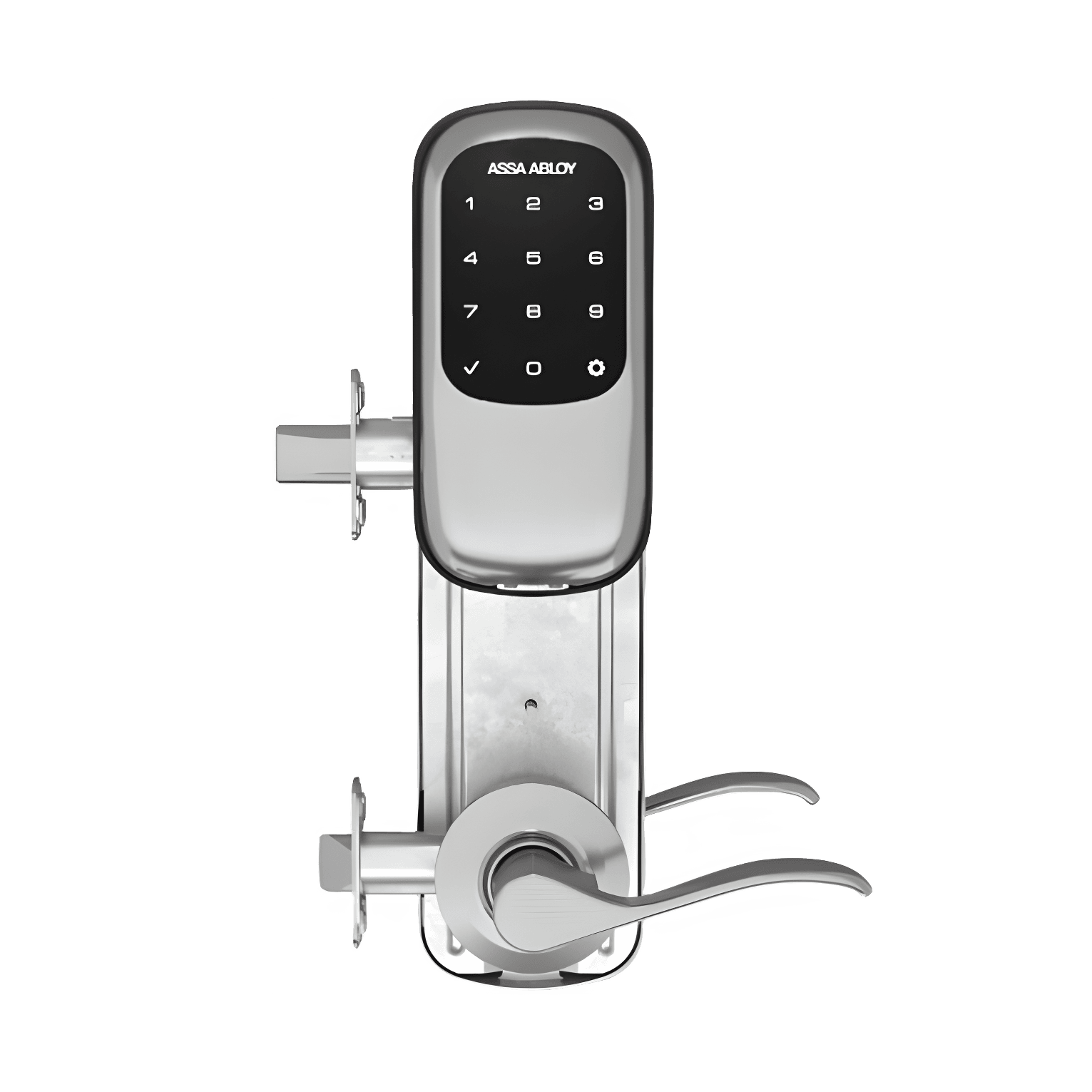
nexTouch Interconnected Lock with Accentra Data-on-Card
An apartment lock whose lever and deadbolt release together as you leave, opening with a code, card, fob or phone — no keyhole.
 Assa Abloy
Automate the Assa Abloy nexTouch Interconnected Lock with Accentra Data-on-Card with Seam and start managing your devices today.

nexTouch Interconnected Lock with Accentra Data-on-Card
Control This Device With Seam API and Accentra
Connect your Accentra with Seam API to use these features.
Capabilities
What you can do with this device, using Seam API.
Device Connectivity
Ensure connectivity is properly configured within the ACS and confirm with your ACS administrator if needed.
Automate Access with Assa Abloy nexTouch Interconnected Lock with Accentra Data-on-Card



A core use case is syncing access codes with reservations from your booking system. With Seam, you can plug calendar tools like Calendly, Cal.com, Google Calendar, and iCal; e-commerce backends like WooCommerce or Shopify; or even class- or appointment-booking software like Mindbody and Acuity. Every confirmed reservation can be set to automatically create a unique, time-bound code on the nexTouch Interconnected Lock with Accentra Data-on-Card at check-in and revoke it at check-out—no manual handling, no shared codes.
The nexTouch Interconnected Lock with Accentra Data-on-Card by Assa Abloy can be used to automate secure access for your customers, guests, or users using Seam's self-serve solution.
With support for time-based access codes, you can automatically grant and revoke access based on real-world events like bookings, schedules, or user actions—without manual intervention.
This is especially useful for:
- Short-term rentals (Airbnb, vacation rentals): automatically generate unique access codes for each guest stay, and revoke them at checkout
- Paddle clubs and sports facilities: grant access to courts or gates based on reservation times
- Golf practice ranges and leisure venues: control access to specific areas depending on bookings or time slots
- Music studios and recording booths: issue time-bound codes valid only during the booked session, with automatic revocation after
- Small businesses and studios: manage employee or customer access without physical keys
- Shared spaces and small offices: assign temporary or recurring access to members or staff
Using Seam, you can connect your nexTouch Interconnected Lock with Accentra Data-on-Card, listen to events from your booking system or backend, and programmatically create access codes that are valid only during the desired time window.
Control Access Remotely with Assa Abloy nexTouch Interconnected Lock with Accentra Data-on-Card
The nexTouch Interconnected Lock with Accentra Data-on-Card by Assa Abloy supports remote unlocking via the Seam API.
Beyond admin or staff workflows, you can embed an "Unlock" button directly inside your customer-facing app, allowing authorized end-users to open a door, gate, or locker themselves during their reservation or membership window—no front-desk hand-off required.
This pattern works particularly well for:
- Spas, wellness, and yoga studios: let members unlock treatment rooms, lockers, or studios on arrival
- Golf practice ranges: unlock bays, ball machines, or driving-range gates from the customer's app
- Tennis and racquetball clubs: authorize court access during the booked time slot, with no front-desk hand-off
- Fitness studios and gyms: give members 24/7 self-service entry tied to their active subscription
- Co-working spaces and shared offices: let members open the front door or private suites from a branded app
You can also trigger unlock actions programmatically—for example:
- Add a button in your app or admin dashboard to unlock a door or gate
- Allow staff to remotely grant access during a reservation
- Enable backup access in case a user cannot use their code
- Build simple interfaces for operators to manage access live
Combined with scheduling or reservation logic, this allows you to create flexible access experiences—for example, enabling a "Unlock" button that only works during an active booking time window.
More smartlock models from Assa Abloy
Compare other entries in this manufacturer's device catalog. Check each model's integration status, capabilities and setup requirements.