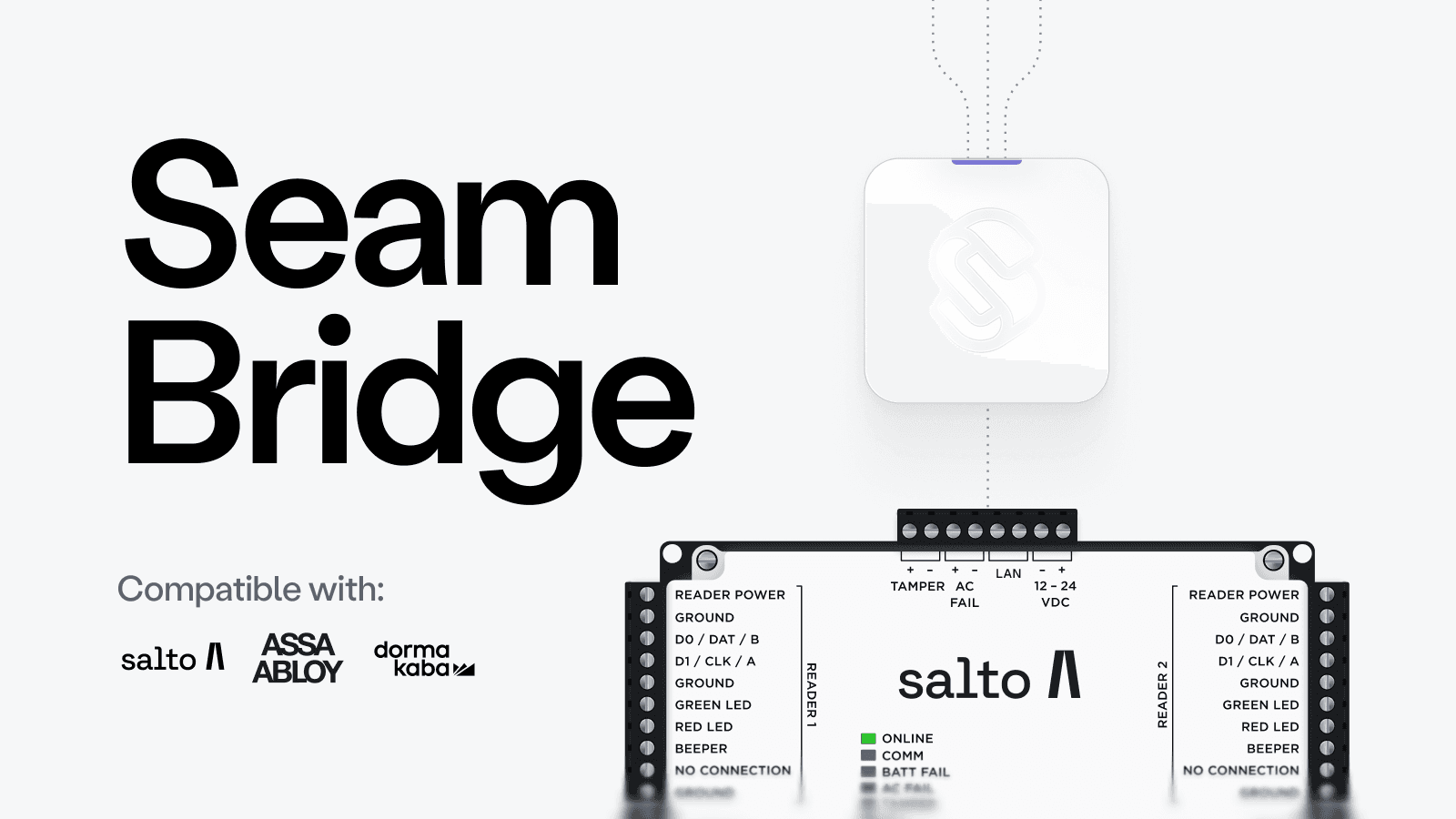
Introducing Seam Bridge
"I want to maintain a complex and brittle VPN tunnel to connect my customers' on-prem access systems," said absolutely no one, ever. So, this week, we’re thrilled to introduce Seam Bridge, a lightweight application that brings on-premises access systems like Salto Space and Assa Abloy Visionline online. Seam Bridge enables you to control these systems without having to run your own VPN infrastructure or open up firewall ports to access the system remotely.
Install Seam Bridge on a Windows computer (Linux coming soon!) within the same local network as your on-premises access system. Seam Bridge discovers your access system and provides a secure tunnel between Seam Cloud and the local access system. Seam Bridge handles encryption and authentication, and maintains a stable and secure connection to your access system.
To learn more, see our Seam Bridge docs or get started by downloading Seam Bridge from our repo.
Getting Started
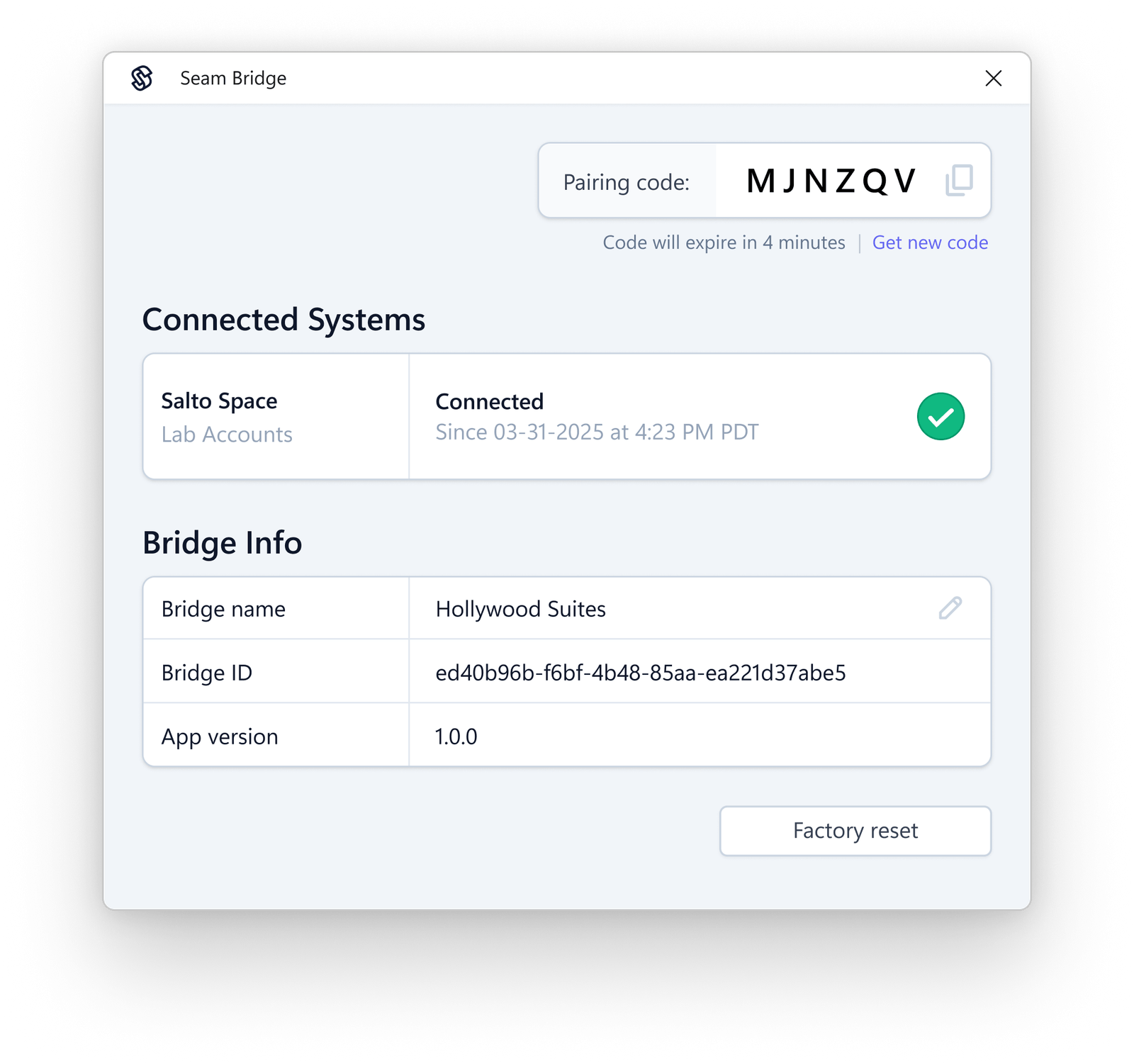
Once you've downloaded and installed Seam Bridge, run it, and, when prompted, type a name for the site that you are connecting using Seam Bridge—for example, My Site—and then click Start pairing. The Seam Bridge app displays a pairing code that you can use to pair Seam Bridge with your workspace.
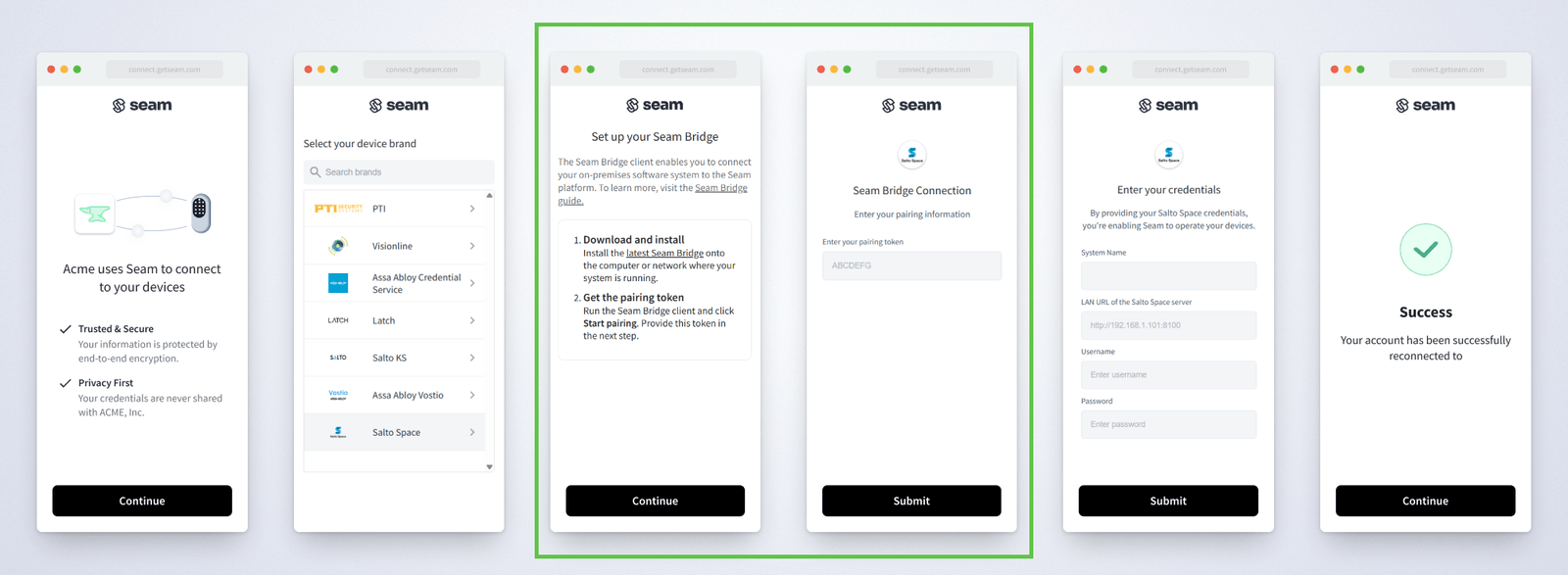
To make it even easier to get started, the Connect Webview that you use to connect your on-premises access system to Seam walks you through the process of downloading and pairing Seam Bridge.
Connection Status and Troubleshooting
Once you’ve connected your on-premises access system to the Seam platform using Seam Bridge, the Seam Bridge app displays the connection status. A green checkmark indicates a healthy connection. In addition, the Seam Bridge app displays any communication errors at the top of the window.
Supported Integrations
You can use Seam Bridge to integrate the following on-premises access systems with Seam:
- Salto Space
- Assa Abloy Visionline
- Dormakaba Community
For more information, see our system integration guides.
2025.04.25 Changelog
New
- New
acs_user.createdevent: We now issue an event each time an access system user is created.
Changed
- Schlage variable length access code support: We added support for four- to eight-digit access code lengths for all Schlage devices.
Fixes
- Akiles accounts without email addresses: We corrected an issue that prevented users from connecting Akiles accounts to Seam if these accounts were missing email addresses.
- SmartThings sync failure: We corrected an issue that was preventing a SmartThings device from syncing because the device metadata included Unicode characters.
- Failure setting some Schlage access codes: We corrected an issue that was preventing some access codes from being set on Schlage devices. This issue was related to the upgrade of our Schlage integration to their new API version.
- Ecobee minimum heating-cooling delta: We corrected a rounding issue that was preventing the correct application of the minimum heating-cooling delta constraint for Ecobee thermostats.