New DeviceDB
This week, we’re excited to release our new DeviceDB that powers our Supported Devices & Systems page and will soon also connect to our embeddable <SupportedDeviceTable /> Seam Component that you can add to your website.
Many of you consult the Seam Supported Devices & Systems page to understand which brands and devices can be controlled using Seam.
Up until recently, this page was generated from a couple of hacked-together spreadsheets. However, as we extended Seam integrations to new device categories and brands, it became apparent that the spreadsheet approach could not accurately represent the full breadth of device and system permutations that Seam supports.
It was clearly time for a more robust approach, so we set out to create DeviceDB—a new, powerful, and exhaustive backend to store and retrieve all devices, accessories, systems, and brands that Seam supports. Given the complexity of the IoT world, it took many months to arrive at a sufficiently-flexible schema that could handle this complexity correctly.
As of this week, our new DeviceDB is powering the Supported Devices & Systems page. We’ll let you know when we connect DeviceDB to the <SupportedDeviceTable /> Seam Component as well.
As part of this release, we’re now listing not only the specific systems that we support (such as Salto KS and Salto Space), but also the compatibility between specific devices and systems. In the coming weeks, we’ll roll out additional information, such as device capabilities and required accessories to enable these capabilities.
Check out these powerful new DeviceDB features!
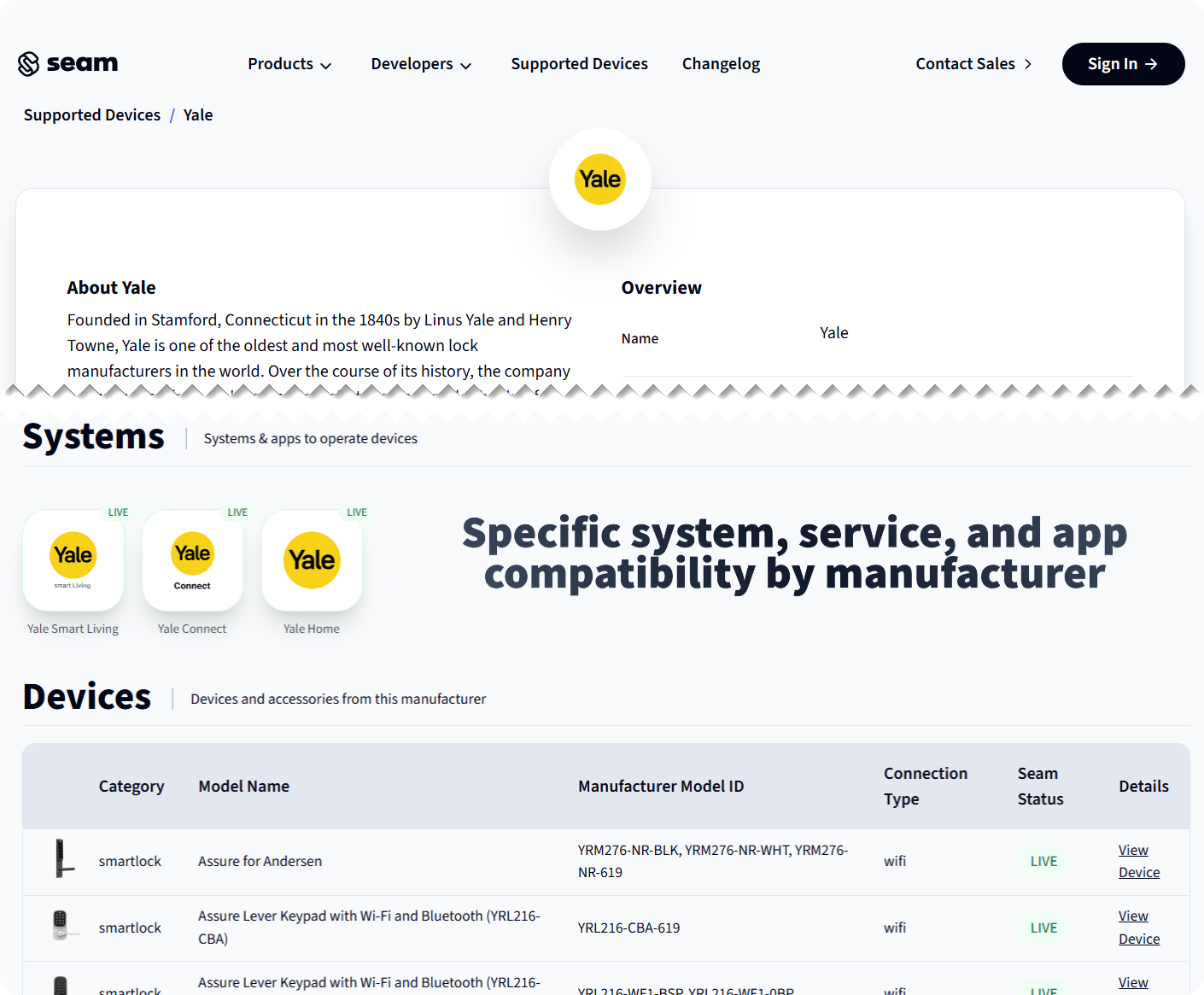
System, Service, and App Compatibility by Manufacturer
Our Supported Devices & Systems page now shows the exact app and system that Seam is compatible with for each brand.
For example, Seam supports connecting with Yale accounts for both Yale Access (U.S. and Canada) and Yale Home (Europe, Middle East, India, and APAC). However, Seam does not yet support Yale Smart Living accounts (primarily, UK) and Yale Connect (Latin America).
System and App Compatibility by Device
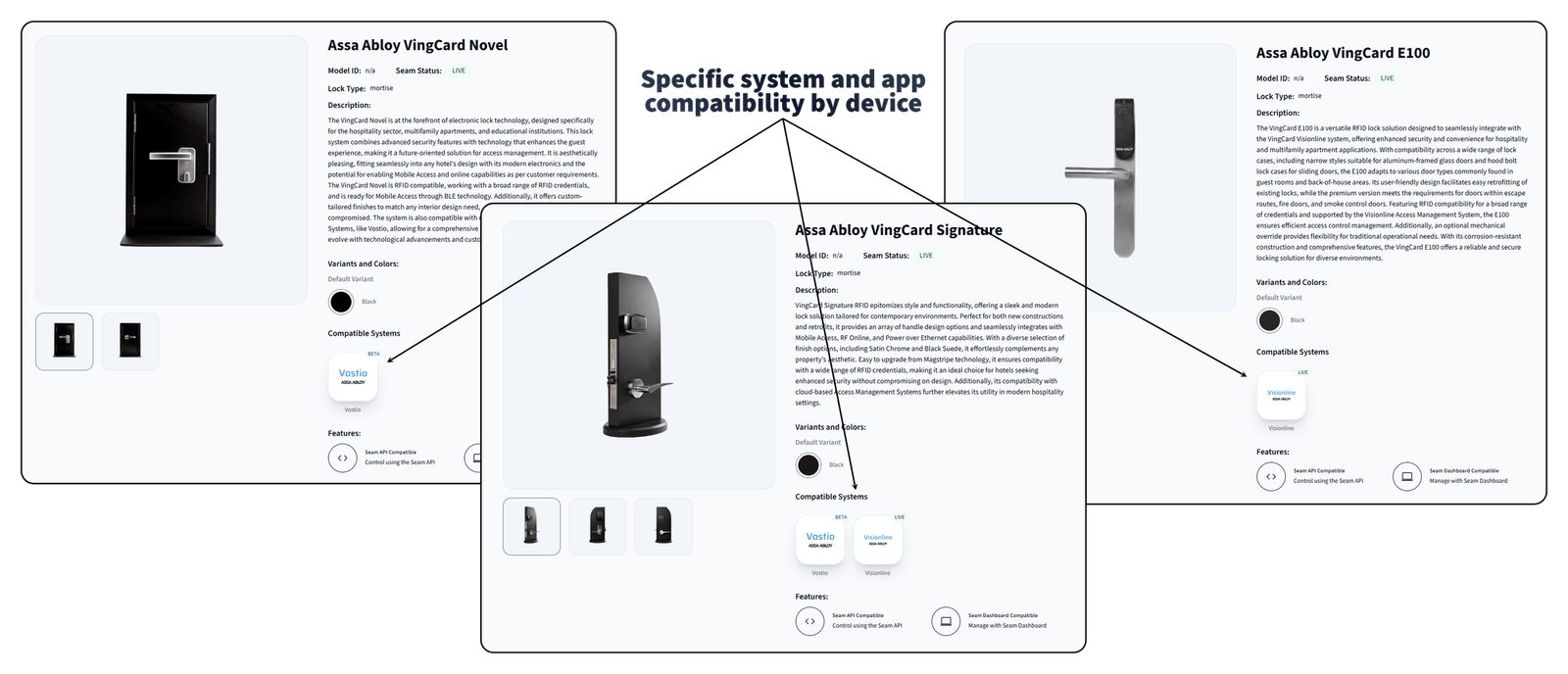
On our Supported Devices & Systems page, we also now show the system and apps with which specific devices are compatible.
For example, while some Assa Abloy Vingcard devices are compatible with both Visionline and Vostio systems, some are only compatible with one or the other. Knowing system and app compatibility at this granular level can help your users better understand the devices that are compatible with their existing systems.
2024.12.06 Changelog
New
- Improved Nest thermostat rate limiting error message: We now provide a more helpful error message to let you know about the restrictive account and rate limits in the Google Device Access Sandbox environment. We recommend that you apply for Google Commercial Development for your Nest devices. For more information, see Obtain Google Nest Device Access and Commercial Development.
- Improved thermostat set point error messages: We now provide more helpful error messages when a requested thermostat set point is invalid, for example, if the requested set point is outside of the allowed temperature range for the thermostat.
Changed
-
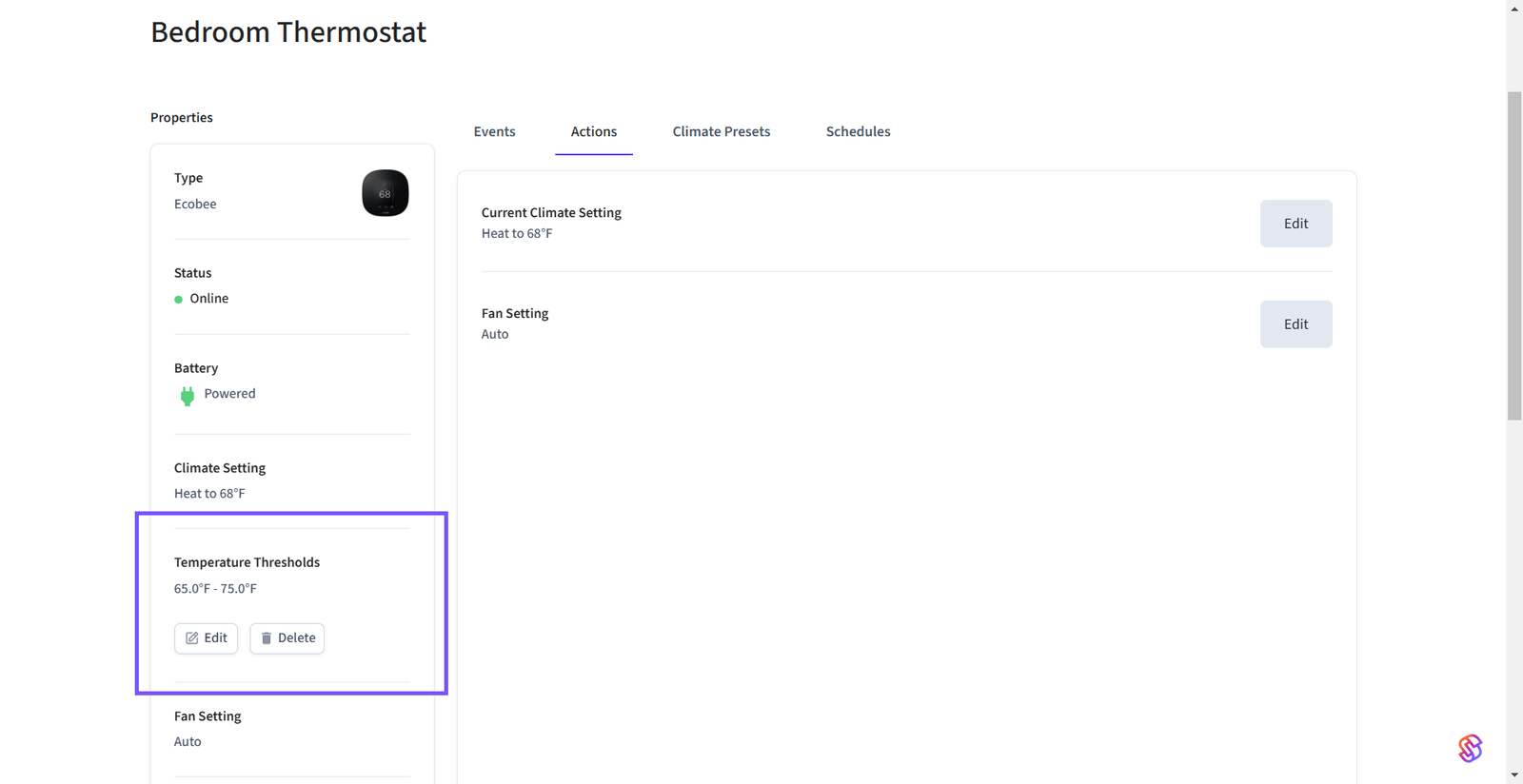
Improved thermostat threshold display in Seam Console: We moved thermostat temperature thresholds to the Properties area on the Seam Console thermostat page. We also made it more intuitive to set and edit these thresholds.
-
Added support for two more Igloohome devices: We added support for two Igloohome Deadbolt Go devices.
Fixes
- Seam Console background truncation: We fixed an issue in which the background for Seam Console pages was truncated.
- My2N login failure in Connect Webview: We fixed a permissions-related issue that was causing login failures for some My2N accounts.
- Method for Schlage
lock.unlockedevents: When a remote unlock occurred through the Seam API for a Schlage device, the resultinglock.unlockedevent was incorrectly reporting themethodasmanual. We corrected this issue such that theselock.unlockedevents now showseamapias themethod.