

properties.current_climate_setting; read the sensor temperature in properties.temperature_celsius or properties.temperature_fahrenheit.
Send a set point in either Celsius or Fahrenheit using the matching _celsius or _fahrenheit parameter. Do not send both units for the same set point or label a Celsius value as Fahrenheit. A temperature difference also has units: a 5 °F difference is about 2.78 °C, not -15 °C.
Heating Set Point
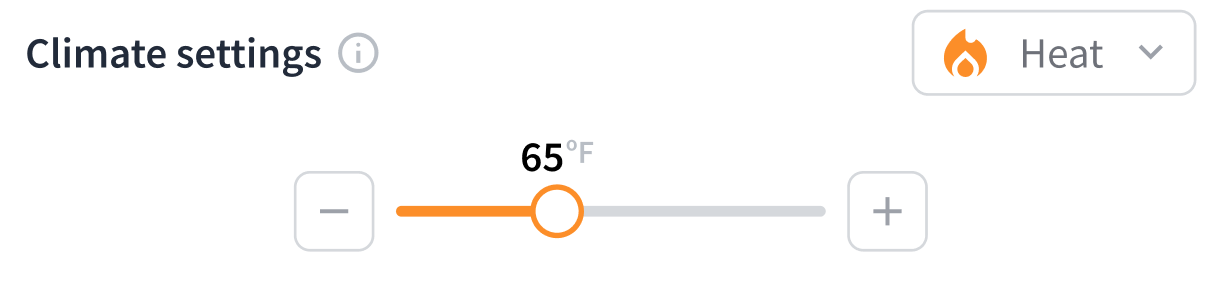
For heating, the heating set point (heating_set_point_fahrenheit or heating_set_point_celsius) is the target temperature that the thermostat turns on the furnace or heating system to reach. Once the space reaches the configured temperature, the thermostat turns off the heating system, until the temperature of the space drops below the set point again.
Cooling Set Point
For cooling, the cooling set point (cooling_set_point_fahrenheit or cooling_set_point_celsius) is the target temperature that the thermostat turns on the air conditioner or cooling system to reach. Once that space reaches the configured temperature, the thermostat turns off the cooling system, until the temperature of the space rises above the set point again.

Heat-Cool Set Points
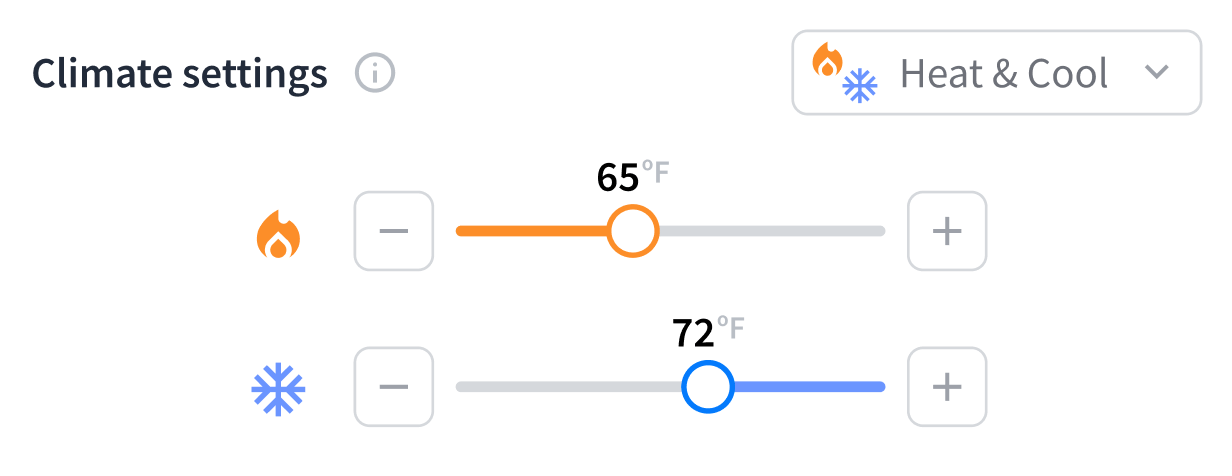
In heat-cool mode, the thermostat uses the heating set point (heating_set_point_fahrenheit or heating_set_point_celsius) as the target temperature for turning on the heating system and the cooling set point (cooling_set_point_fahrenheit or cooling_set_point_celsius) as the target temperature for turning on the cooling system. The thermostat activates heating or cooling as needed to keep the temperature of the space between these two configured set points for maximum comfort.
Note that there may be a required minimum temperature difference between the cooling and heating set points. For more information, see Minimum Heating Cooling Temperature Delta.
Set Point Constraints
Some models of thermostats have specific requirements and constraints related to configuring set points. You can fetch the requirements by issuing a Get Device or List Thermostats request. The following example shows a set of thermostat set point requirements:Set Point Temperature Range
The thermostat settings have restrictions on the range of set point temperatures that users can choose for both cooling and heating. For cooling, themin_cooling_set_point_* and max_cooling_set_point_* properties indicate the permissible temperature range. For heating, the min_heating_set_point_* and max_heating_set_point_* properties indicate the permissible temperature range. These properties are available in both Celsius and Fahrenheit, as the suffix indicates. See these parameters to ensure that your selected set points fall within the defined operational limits of the thermostat.
The following example shows the set point temperature range, including both heating and cooling:
min_cooling_set_point_* and max_heating_set_point_*, and must be at least min_heating_cooling_delta_* apart. Sensi thermostats enforce this. See the Sensi integration guide for details.
Minimum Heating Cooling Temperature Delta
Themin_heating_cooling_delta_celsius and min_heating_cooling_delta_fahrenheit properties denote the minimum temperature difference—that is, delta—in degrees between the cooling and heating set points when in heat-cool (auto) mode. You must configure the cooling set point to be higher than the heating set point by at least the specified delta. This setting helps to prevent the thermostat from rapidly switching between heating and cooling modes, thereby avoiding short cycling.
The following example shows a configured minimum delta between the cooling and heating set points:
Choose a supported mode
Check
can_hvac_heat_cool on the selected device before choosing heat-cool mode. If a constraint or current set point is absent, do not substitute zero or assume unrestricted operation.
This read-only example checks the device’s current settings and constraints before you choose a command.
JavaScript