 ## Overview
Seam integrates with the Avigilon Alta access system that provides cloud-based access control for a variety of industries, including corporate, commercial, hospitality, multifamily residential, and others. With support for doors, elevators, turnstiles, and gates, the Avigilon Alta access control system enables you to secure a single building or multiple buildings using the same system. Further, users need only a single credential for all doors and access points.
***
## Supported Devices
This integration supports [all readers, controllers, and wireless locks connected to the Avigilon Alta platform](https://www.avigilon.com/access-control/cloud).
## Overview
Seam integrates with the Avigilon Alta access system that provides cloud-based access control for a variety of industries, including corporate, commercial, hospitality, multifamily residential, and others. With support for doors, elevators, turnstiles, and gates, the Avigilon Alta access control system enables you to secure a single building or multiple buildings using the same system. Further, users need only a single credential for all doors and access points.
***
## Supported Devices
This integration supports [all readers, controllers, and wireless locks connected to the Avigilon Alta platform](https://www.avigilon.com/access-control/cloud).
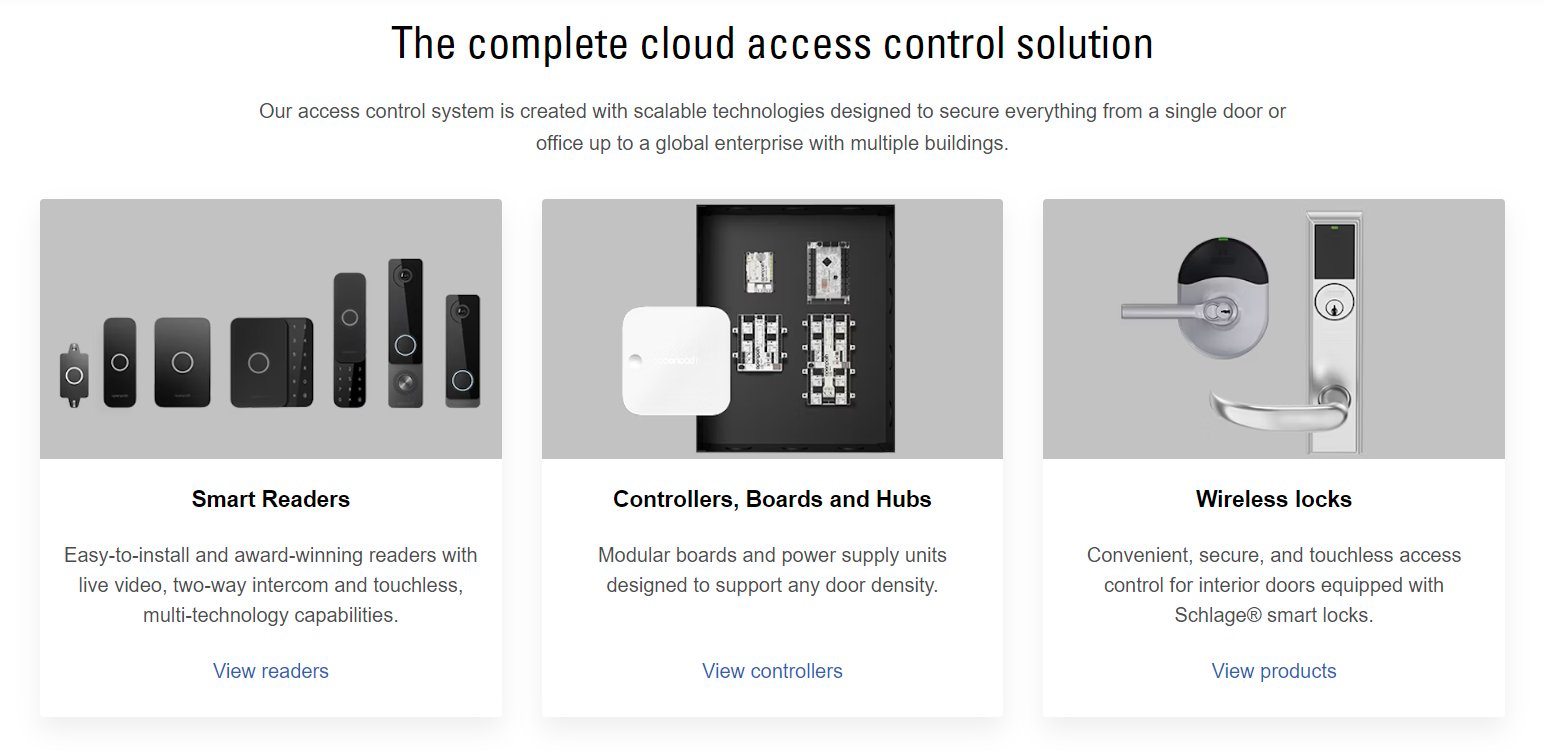 For the full list of Avigilon Alta devices that Seam supports, see the [Avigilon Alta section of our Supported Devices page](https://www.seam.co/supported-devices-and-systems#avigilon-alta).
***
## Supported Features
We support the following features:
* [Managing access systems](/docs/low-level-apis/access-systems)
* [Access Grants](/docs/use-cases/granting-access)—the recommended way to grant access
* [Programming online access codes (PIN codes)](/docs/low-level-apis/access-systems/managing-credentials)
* [Triggering remote unlock actions](/docs/low-level-apis/smart-locks/lock-and-unlock), attributed to a specific user through an Avigilon Alta Cloud Key credential
***
### Device Provider Key
Seam identifies these devices with the `avigilon_alta` device provider key. By default, a [Connect Webview](/docs/core-concepts/connect-webviews) displays all of the stable providers that Seam supports, so your users can connect their Avigilon Alta access system and devices without you specifying a provider list. To narrow what a Connect Webview displays, see [Customize the Brands to Display in Your Connect Webviews](/docs/core-concepts/connect-webviews/customizing-connect-webviews#customize-the-brands-to-display-in-your-connect-webviews).
***
## Setup Instructions
For instructions on connecting Avigilon Alta access systems to Seam, see the [Avigilon Alta Setup Guide](./avigilon-alta-setup-guide).
***
## Where to Order
To purchase the Avigilon Alta access system and devices, request a quote from Avigilon.
For the full list of Avigilon Alta devices that Seam supports, see the [Avigilon Alta section of our Supported Devices page](https://www.seam.co/supported-devices-and-systems#avigilon-alta).
***
## Supported Features
We support the following features:
* [Managing access systems](/docs/low-level-apis/access-systems)
* [Access Grants](/docs/use-cases/granting-access)—the recommended way to grant access
* [Programming online access codes (PIN codes)](/docs/low-level-apis/access-systems/managing-credentials)
* [Triggering remote unlock actions](/docs/low-level-apis/smart-locks/lock-and-unlock), attributed to a specific user through an Avigilon Alta Cloud Key credential
***
### Device Provider Key
Seam identifies these devices with the `avigilon_alta` device provider key. By default, a [Connect Webview](/docs/core-concepts/connect-webviews) displays all of the stable providers that Seam supports, so your users can connect their Avigilon Alta access system and devices without you specifying a provider list. To narrow what a Connect Webview displays, see [Customize the Brands to Display in Your Connect Webviews](/docs/core-concepts/connect-webviews/customizing-connect-webviews#customize-the-brands-to-display-in-your-connect-webviews).
***
## Setup Instructions
For instructions on connecting Avigilon Alta access systems to Seam, see the [Avigilon Alta Setup Guide](./avigilon-alta-setup-guide).
***
## Where to Order
To purchase the Avigilon Alta access system and devices, request a quote from Avigilon.
| Avigilon Quote Request | [https://www.avigilon.com/quote](https://www.avigilon.com/quote) | avigilon-alta-logo.png |