> ## Documentation Index
> Fetch the complete documentation index at: https://www.seam.co/docs/llms.txt
> Use this file to discover all available pages before exploring further.
# Seam CLI
> Use the interactive Seam CLI as a user-friendly and efficient way to explore and test the Seam API.
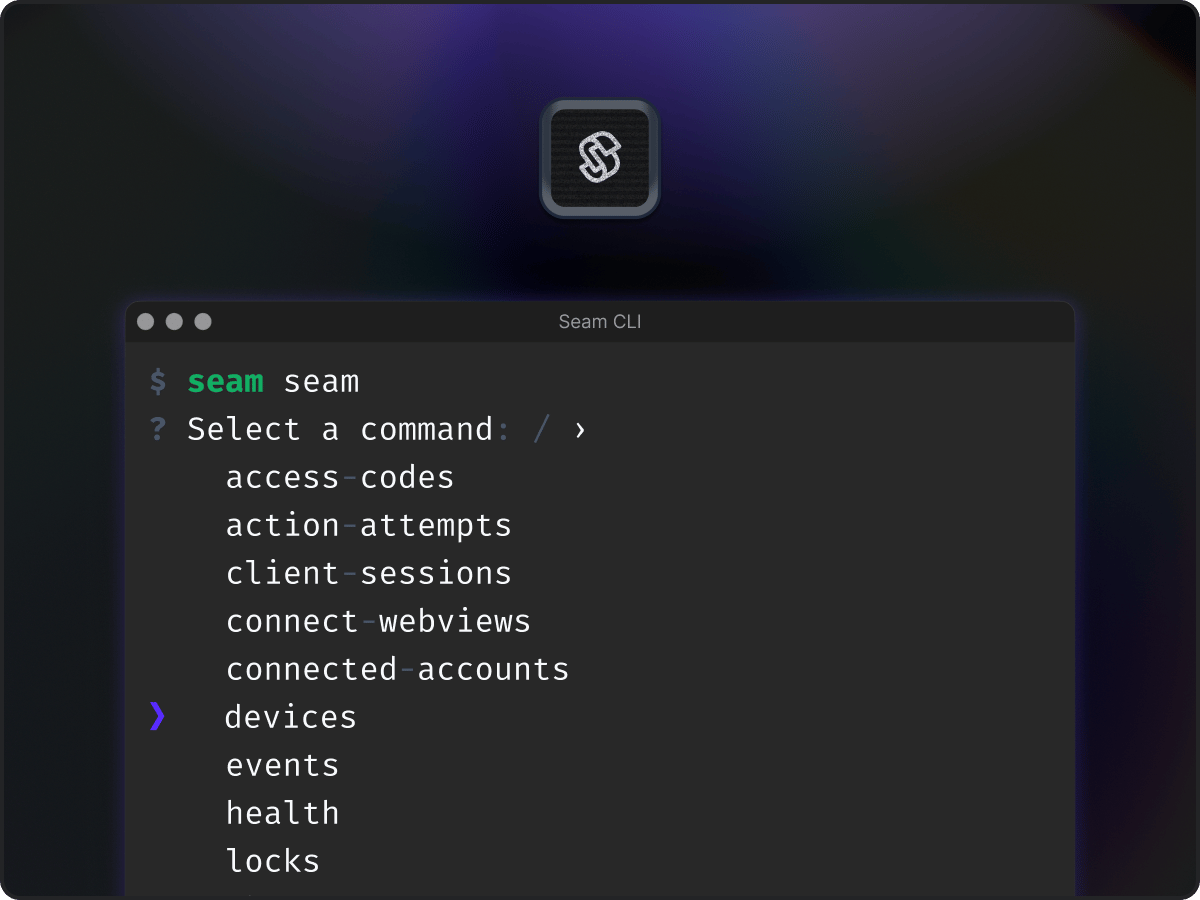 The Seam Command Line Interface (CLI) is a fully interactive CLI version of the Seam API. You can [install the Seam CLI locally](#installing-the-seam-cli) or use the [Seam Online CLI](../core-concepts/seam-console/seam-online-cli) within the [Seam Console](/docs/core-concepts/seam-console/index). Quick, intuitive, and easy to use, the Seam CLI enables you to perform a variety of useful tasks, including the following:
* Explore and test all the available methods in the Seam API interactively.
* View resources or test API functions easily and quickly.
* Inspect the results of your API commands.
* Access Seam API functionality that is not currently available in the Seam Console.
The Seam Command Line Interface (CLI) is a fully interactive CLI version of the Seam API. You can [install the Seam CLI locally](#installing-the-seam-cli) or use the [Seam Online CLI](../core-concepts/seam-console/seam-online-cli) within the [Seam Console](/docs/core-concepts/seam-console/index). Quick, intuitive, and easy to use, the Seam CLI enables you to perform a variety of useful tasks, including the following:
* Explore and test all the available methods in the Seam API interactively.
* View resources or test API functions easily and quickly.
* Inspect the results of your API commands.
* Access Seam API functionality that is not currently available in the Seam Console.
 ## Installing the Seam CLI
Install the Seam CLI using your preferred package manager, or download a standalone binary for your platform.
Install the CLI standalone binary locally on Linux, macOS
```bash theme={"dark"}
curl -fsSL https://seam.co/cli/install.sh | sh
```
or Windows
```bash theme={"dark"}
iwr -useb https://seam.co/cli/install.ps1 | iex
```
Install the Seam cask with Homebrew:
```bash theme={"dark"}
brew install --cask seamapi/tap/seam-cli
```
The Seam CLI may also be installed from Homebrew Core,
but it does not include the Seam Wizard.
```bash theme={"dark"}
brew install seam
```
The CLI is published to the AUR as [`seam-bin`](https://aur.archlinux.org/packages/seam-bin).
Install it with the AUR helper of your choice:
```bash theme={"dark"}
# Using aura
aura -A seam-bin
# Using paru
paru -S seam-bin
# Using yay
yay -S seam-bin
# Manually
git clone https://aur.archlinux.org/seam-bin.git
cd seam-bin
makepkg -si
```
Try the CLI without installing it with Nix with
```bash theme={"dark"}
nix run github:seamapi/cli
```
Install it into your profile with
```bash theme={"dark"}
nix profile install github:seamapi/cli
```
On Windows, install the CLI from Scoop with
```bash theme={"dark"}
scoop install https://github.com/seamapi/cli/releases/latest/download/seam.json
```
Try the CLI without installing it with
```bash theme={"dark"}
npx seam
```
Install it globally with
```bash theme={"dark"}
npm i -g seam
seam completion --install
```
Standalone binaries for macOS, Linux, and Windows on both x64 and arm64 are attached to the [latest Seam CLI release](https://github.com/seamapi/cli/releases/latest).
Use these if your platform has no package available.
Download the asset that matches your platform.
Then, on macOS or Linux, make it executable and move it somewhere on your `PATH`:
```bash theme={"dark"}
chmod +x seam-*
sudo mv seam-* /usr/local/bin/seam
seam completion --install
```
Each release also includes a `checksums.txt` file so that you can verify the binary that you downloaded.
If you use Zsh, the completions only work if you enable compinit in your .zshrc with
```sh theme={"dark"}
autoload -Uz compinit
compinit
```
## Using the Seam CLI
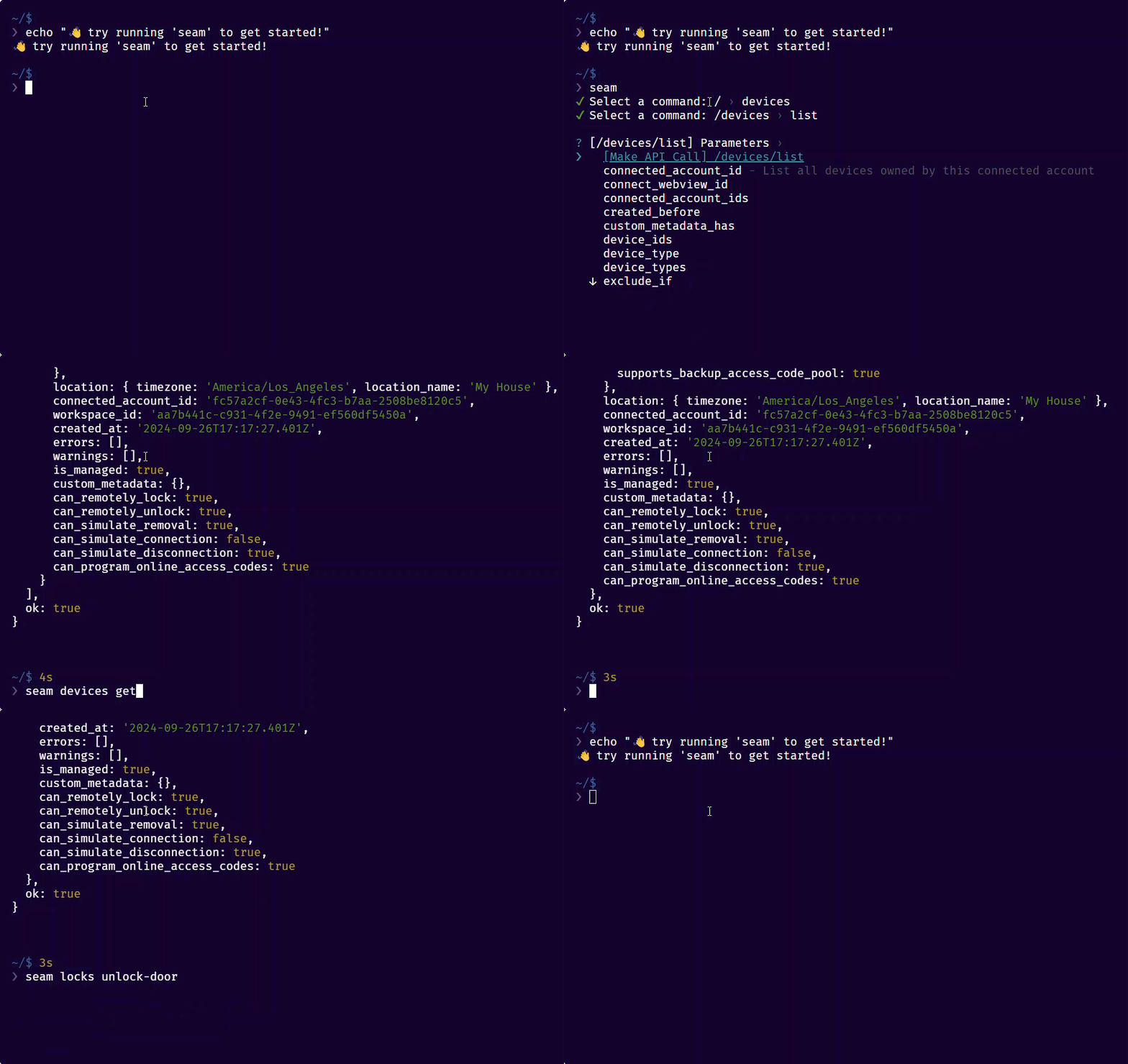
Interact with the Seam CLI using any combination of interactive and typed commands. You "construct" the full command, including any desired parameters, and then run the command.
For details, see [Use the Seam CLI](../core-concepts/seam-console/seam-online-cli#use-the-seam-cli) and [Seam CLI Command Stubs](../core-concepts/seam-console/seam-online-cli#seam-cli-command-stubs).
## Installing the Seam CLI
Install the Seam CLI using your preferred package manager, or download a standalone binary for your platform.
Install the CLI standalone binary locally on Linux, macOS
```bash theme={"dark"}
curl -fsSL https://seam.co/cli/install.sh | sh
```
or Windows
```bash theme={"dark"}
iwr -useb https://seam.co/cli/install.ps1 | iex
```
Install the Seam cask with Homebrew:
```bash theme={"dark"}
brew install --cask seamapi/tap/seam-cli
```
The Seam CLI may also be installed from Homebrew Core,
but it does not include the Seam Wizard.
```bash theme={"dark"}
brew install seam
```
The CLI is published to the AUR as [`seam-bin`](https://aur.archlinux.org/packages/seam-bin).
Install it with the AUR helper of your choice:
```bash theme={"dark"}
# Using aura
aura -A seam-bin
# Using paru
paru -S seam-bin
# Using yay
yay -S seam-bin
# Manually
git clone https://aur.archlinux.org/seam-bin.git
cd seam-bin
makepkg -si
```
Try the CLI without installing it with Nix with
```bash theme={"dark"}
nix run github:seamapi/cli
```
Install it into your profile with
```bash theme={"dark"}
nix profile install github:seamapi/cli
```
On Windows, install the CLI from Scoop with
```bash theme={"dark"}
scoop install https://github.com/seamapi/cli/releases/latest/download/seam.json
```
Try the CLI without installing it with
```bash theme={"dark"}
npx seam
```
Install it globally with
```bash theme={"dark"}
npm i -g seam
seam completion --install
```
Standalone binaries for macOS, Linux, and Windows on both x64 and arm64 are attached to the [latest Seam CLI release](https://github.com/seamapi/cli/releases/latest).
Use these if your platform has no package available.
Download the asset that matches your platform.
Then, on macOS or Linux, make it executable and move it somewhere on your `PATH`:
```bash theme={"dark"}
chmod +x seam-*
sudo mv seam-* /usr/local/bin/seam
seam completion --install
```
Each release also includes a `checksums.txt` file so that you can verify the binary that you downloaded.
If you use Zsh, the completions only work if you enable compinit in your .zshrc with
```sh theme={"dark"}
autoload -Uz compinit
compinit
```
## Using the Seam CLI
Interact with the Seam CLI using any combination of interactive and typed commands. You "construct" the full command, including any desired parameters, and then run the command.
For details, see [Use the Seam CLI](../core-concepts/seam-console/seam-online-cli#use-the-seam-cli) and [Seam CLI Command Stubs](../core-concepts/seam-console/seam-online-cli#seam-cli-command-stubs).